Networking in NixOS Tests
NixOS integration tests provide a sophisticated networking environment that allows for complex multi-node and multi-network configurations.
Architecture
The NixOS test driver uses QEMU's networking capabilities and VDE (Virtual Distributed Ethernet) tools to connect virtual machines.
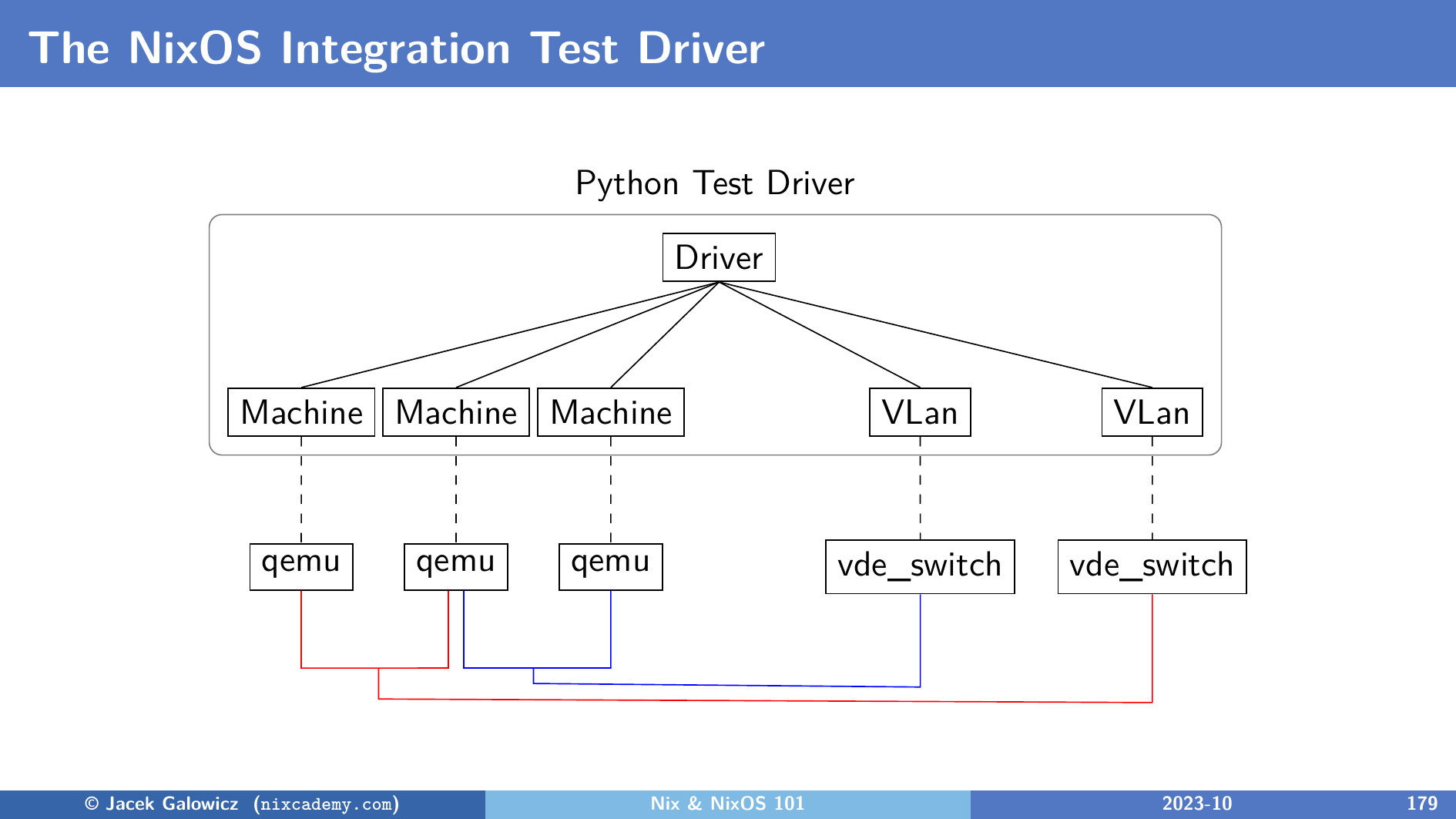
As shown in the diagram, the driver orchestrates several QEMU instances and VDE switches to facilitate communication between nodes and VLANs.
Hostname and DNS
All machines defined in your test under the top-level attributes nodes and containers automatically receive DNS entries for each other.
You can use a node's name as a hostname to communicate between them.
For example, if you have nodes named server and client, the client can reach the server simply by using the name server.
See a life running example in the networking tutorial
IP Address Assignment
By default, the test driver assigns IP addresses to each node using a fixed internal scheme:
- VLAN 1 (default): Nodes get addresses like
192.168.1.1,192.168.1.2, etc. - VLAN 2: Nodes get addresses like
192.168.2.1, etc.
While the default assignment is convenient, you can still use standard NixOS networking options to configure static IPs, routes, or other network settings as described in the NixOS Manual.
Multiple Networks (VLANs)
You can isolate nodes into different networks using the virtualisation.vlans option. This is useful for testing routers, firewalls, or complex network topologies.
{
  nodes = {
    machine1 = { virtualisation.vlans = [ 1 ]; };
    machine2 = { virtualisation.vlans = [ 1 2 ]; };
    machine3 = { virtualisation.vlans = [ 2 ]; };
  };
}
In this setup:
machine1andmachine2can communicate on VLAN 1.machine2andmachine3can communicate on VLAN 2.machine1andmachine3cannot communicate directly unlessmachine2is configured to route traffic between the two networks.
See a life running example in the networking tutorial
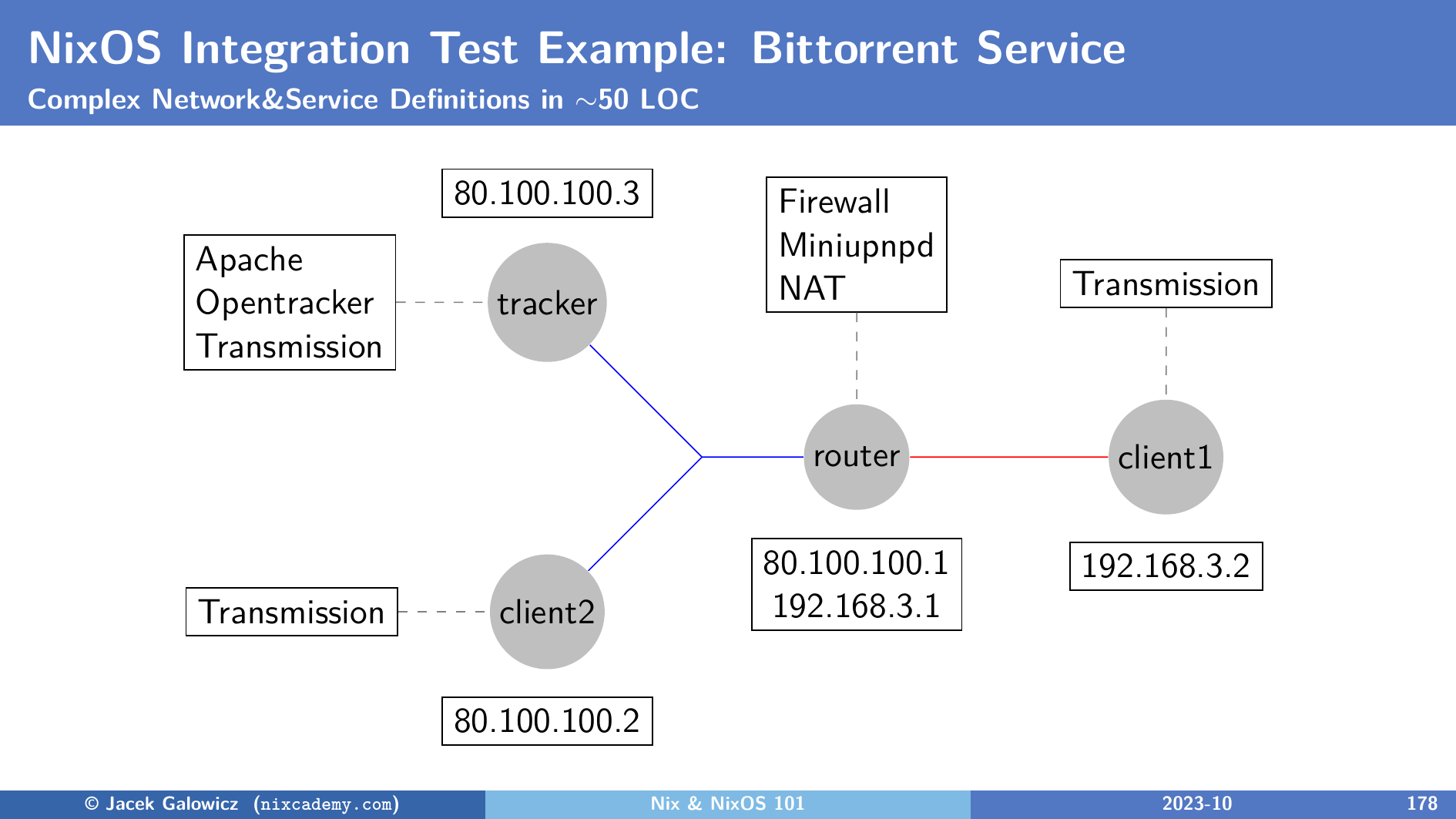
Another interesting real-life example is the Bittorrent test in nixpkgs which uses the following network configuration: